



2026-09-09,某些文章具有时效性,若有错误或已失效,请在下方留言!OpenAI官方已将ChatGPT正式上架Google Play应用商店,为Android用户带来了极好的消息。现在Android用户可以直接在手机上体验ChatGPT的强大功能。
文章海报
![图片[1]-ChatGPT官方安卓(Android)APP正式上线-附安装指南-好软猫](https://www.haoruanmao.com/wp-content/uploads/2024/10/7f22537073f278f686dc221c98c6f839.webp)
在安卓上安装ChatGPT官方APP
在开始之前,您需要准备:
- 手机上已经安装Google Play应用商店
- 一个美区或者欧洲区的Google账号
- 受OpenAI支持地区的魔法上网
请注意:使用中国大陆或香港地区的Google账号无法搜索到真正的ChatGPT官方应用程序。搜索结果中充斥着许多第三方应用程序。要安装ChatGPT官方应用程序,您需要使用美国或欧洲地区的Google账号,或者其他受支持的地区。
ChatGPT官方APP地址:https://play.google.com/store/apps/details?id=com.openai.chatgpt&hl=zh-cn
安装的时候认准OpenAI出品,别安装到第三方APP去了。 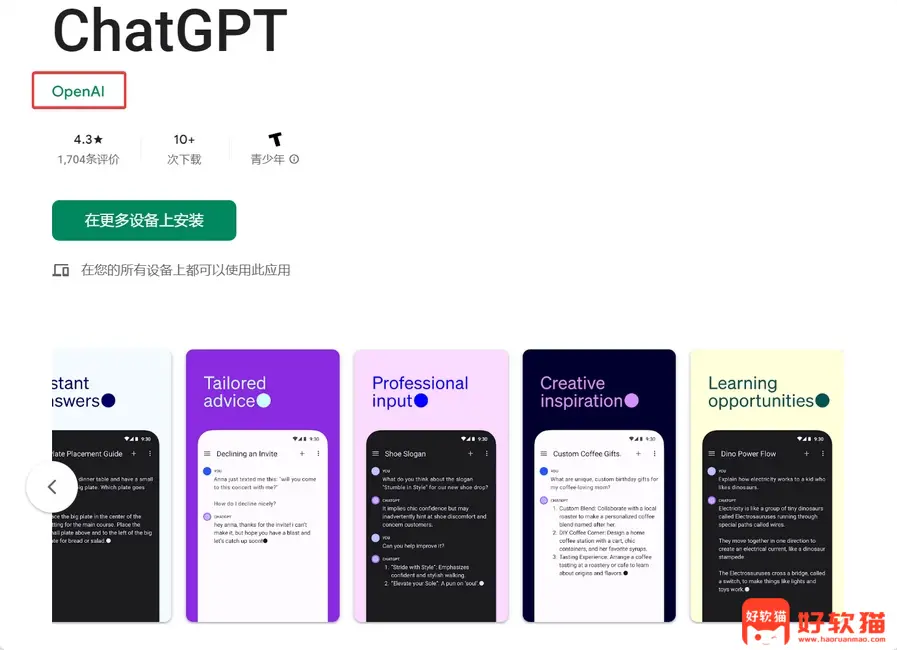
手动安装(不推荐): 如果您没有美区或者欧洲区的Google账号,也可以选择手动安装,但是注意:请确保您手机上已经安装了Google Play应用商店,因为ChatGPT APP依赖Google框架服务,如果没有安装Google Play应用商店,您将无法使用ChatGPT APP。
登录失败的处理方法
如果您在安卓APP上登录ChatGPT提示下面的错误:
Something went wrong. Please restart the app and try again. Something went wrong. Please make sure your device has the latest version of Google Play.
这是因为Google Play版本过低导致,因为ChatGPT依赖了Google服务框架,您只需要将Google Play升级到最新版本,并重启APP即可。 博主使用的小米手机,直接打开小米应用商店,搜索关键词“Play商店”,然后点升级操作,如下图。 
恭喜你发现了宝藏导航!>>立即去挖宝<<
![蓝奏云软件库-蓝奏云软件合集链接网址汇总-蓝奏云软件库最新版下载[9月13日更新]-好软猫](https://www.haoruanmao.com/wp-content/uploads/2025/11/77986adba020260406191315.webp)










![表情[touxiao]-好软猫](https://www.haoruanmao.com/wp-content/themes/zibll/img/smilies/touxiao.gif) 弟弟
弟弟










暂无评论内容